
Are you trying to restore a corrupted file or a previous version of a file in Azure Blob Storage Accounts? Now, you can do it using Point-in-time Restore for Blobs. In this blog post, I’ll explain how to enable and configure this feature so you can start using it.
In one of my previous articles, I explored how to enable soft deletes and restore deleted files. With point-in-time restore you can:
- Restore previous versions of a blob
- Restore deleted files
Table of Contents
A few key points to take into account:
- This feature is available for a blob storage account when using cool and hot tier access files, but not archive (click here to know more about the access tiers).
- There are currently some limitations that are available in the Microsoft documentation.
- Having different versions for your files will increase your on-going cost to store them.
Enable point-in-time restore for blobs
To begin, in your Azure Storage Account, go to Data Protection and turn on the following option:
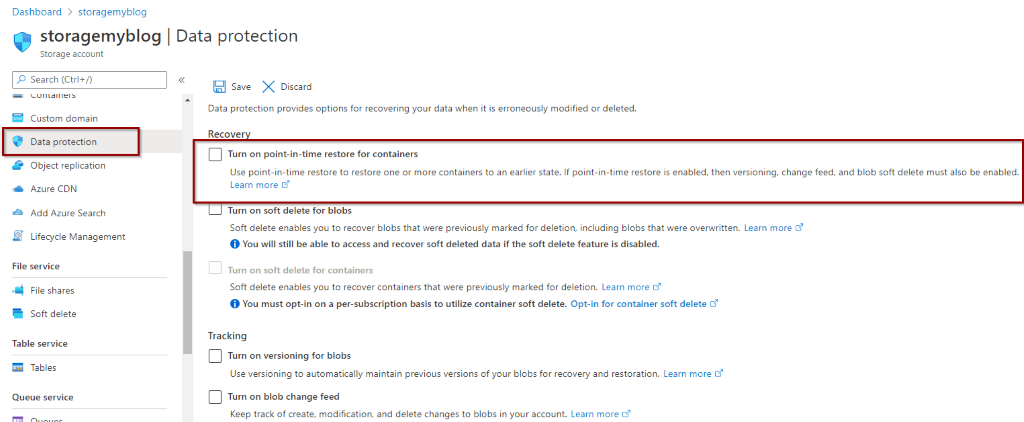
Next, when you enable point-in-time restore, you can see that other options are enabled for you. These are pre-requisites.
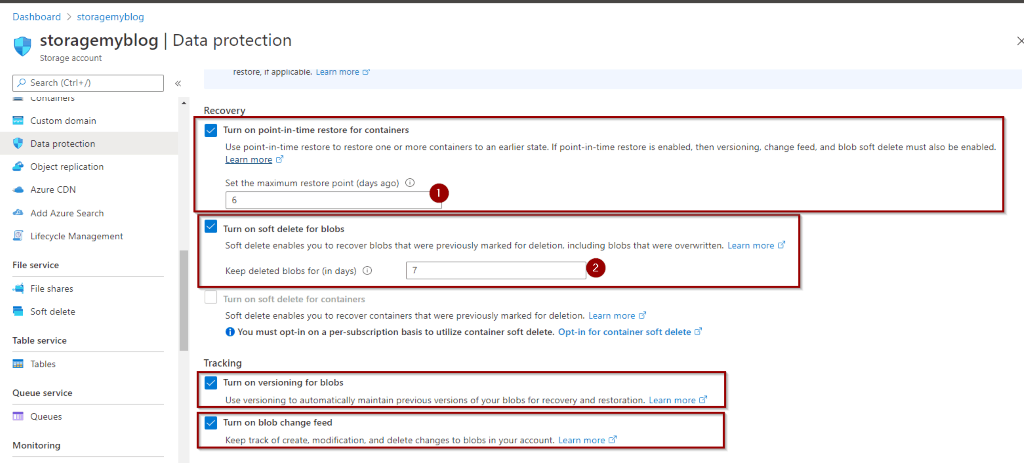
- Maximum period of time (in days) for recovering previous versions
- Maximum period of time (in days) for recovering deleted files
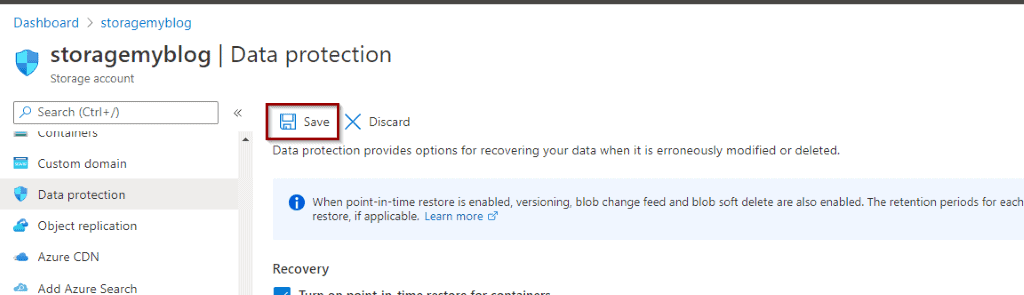
Now, save the new configuration.
Restore blob using point-in-time restore
Next, let’s go and test it. We are going to try to restore a previous version of a file that’s been modified.
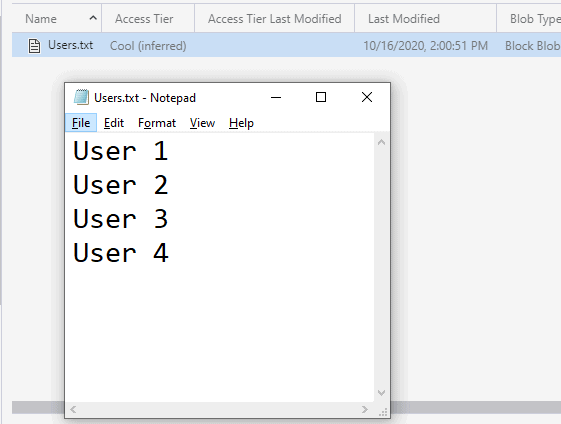
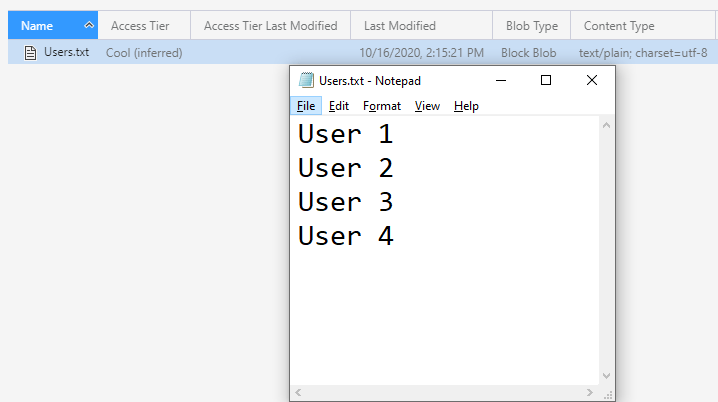
For this test, we’ll use a simple file with some user names inside:
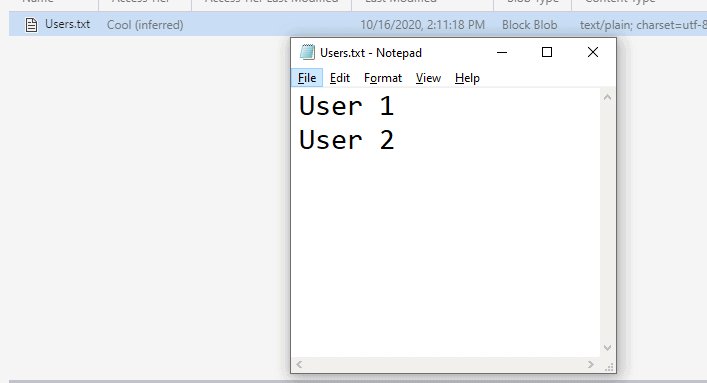
For the next step, you’ll delete some users and upload the file again to replace it.
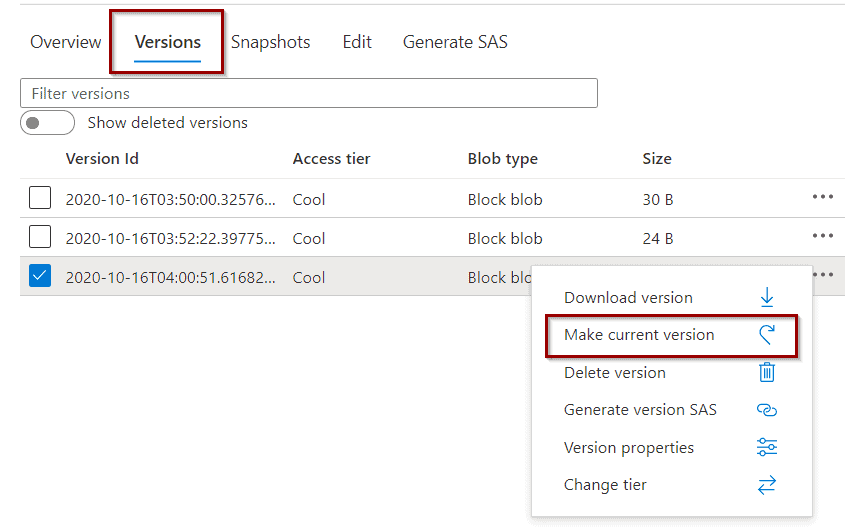
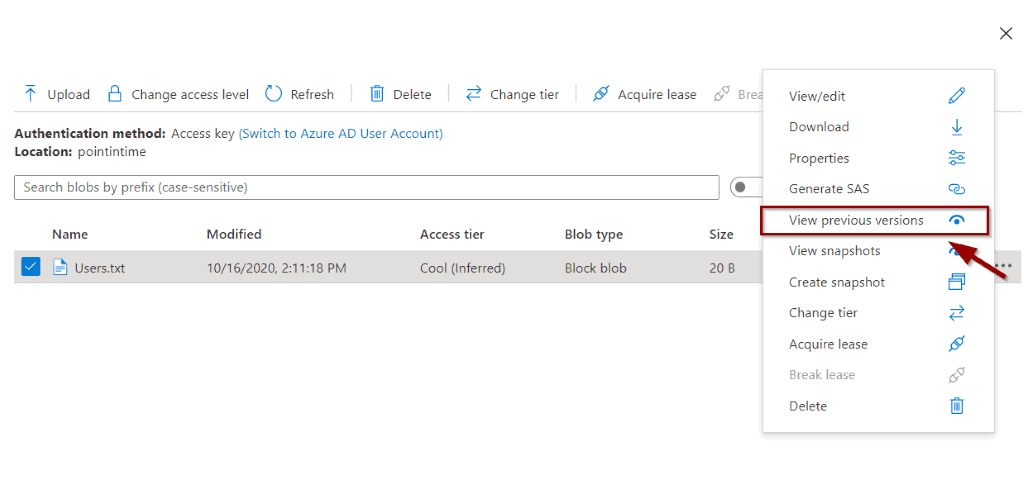
You can find the version of the file in the Azure portal or with APIs.
This opens a new window with all the versions that are available to restore.
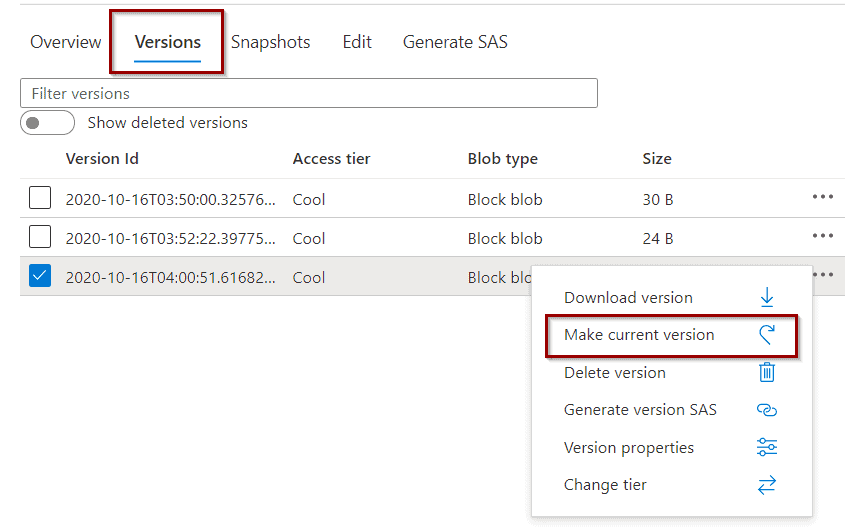
Then, after you restore it, the old version will become available.
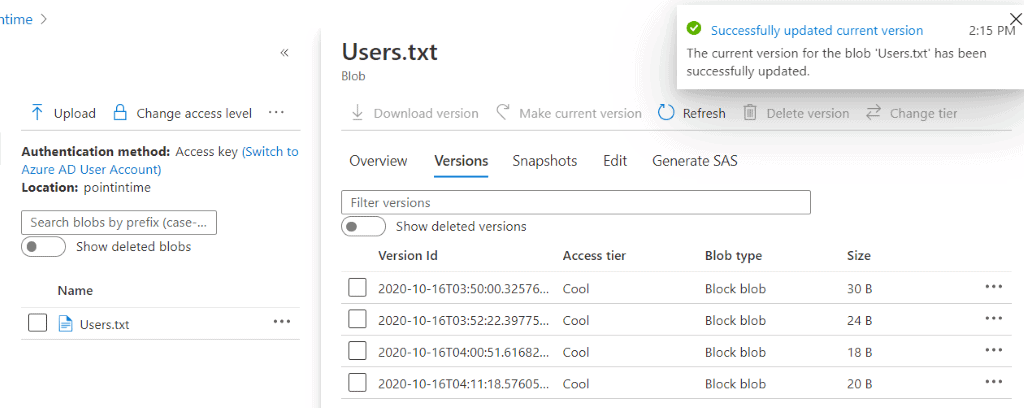
Once you have restored that version, it becomes available again.
Summary
In this article, you learned how to restore previous versions of a blob storage account using point-in-time restore. You didn’t need to write a single line of code!
Final Thoughts
Every time that I work with Storage Accounts, I take advantage of the latest available features. Data recovering scenarios and point-in-time restore play a key role to help mitigate any issues with deletions, data integrity issues or file versioning.
What’s Next?
During the next few weeks, we will explore more features and services within the Azure offering.
Please follow me on Twitter at TechTalkCorner for more articles, insights, and tech talk!
Questions or comments?